


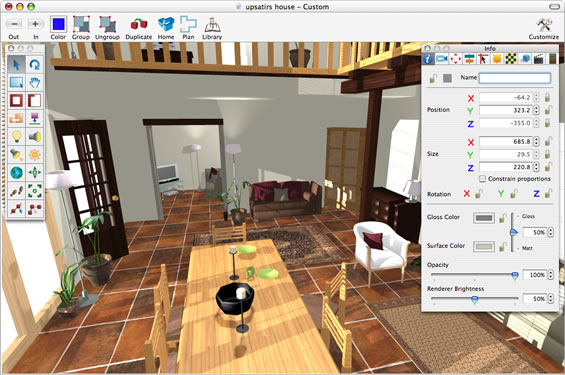
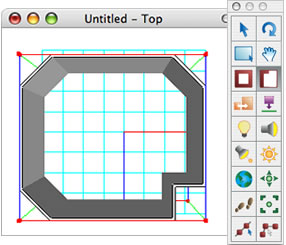
Use our advanced wall drawing tools to layout the shape of your room, color or texture walls, floors and ceilings, add windows, doors and lighting, then simply drag and drop in thse furniture you require, finally why not export a hi-resolution rendered image or create a walk through movie! Interiors makes it simple for even the 3D novice to quickly produce impressive results.
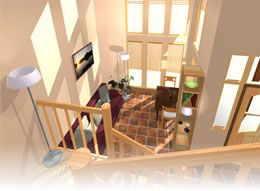
Once you have finished laying out your room designs in Interiors the final stage will be to render the room to show shadows and lighting ready for high resolution export. For this we provide the Microspot Renderer. Once rendered you have the option to export your room as a high resolution image i.e. jpeg, gif, tiff etc

Once you have created your design masterpiece you are going to want to show it off right?! Interiors lets you do just that using our Animation tools, not only do they enable you to set a path for the camera to follow through your designs but you can also animate individual objects to create some great effects. Once your animation is ready you can export it as a Quicktime movie. Just take a look at the examples in our gallery.
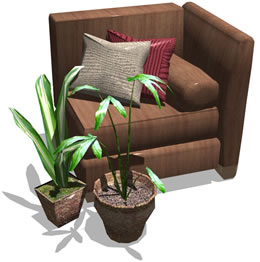
While Interiors contains many furniture items and accessories, users will always find they need something different for that new design they are working on. That is why Interiors has support for importing the 3DS file format. This gives you access to the many thousands of FREE 3D models available in this format on the internet. Of course all the Interiors furniture can be un-grouped, edited, colored or textured giving you the flexibility to match items in the real world.
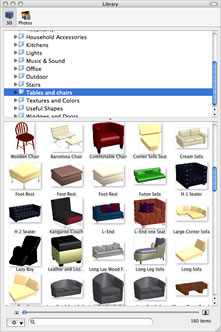
All owners of the Interiors software gain access to our online 3D user area where they can enjoy some great bonus resources such as "library of the month", a monthly downloadable furniture library, the contents of which can be requested by our users in the user area. Video tutorials that not only show you the basics but offer some great tips on creating great looking rooms and much more. Click here to browse the 3D user area. Here at Microspot we also provide FREE TECHNICAL SUPPORT via both phone and email! So no premium rate numbers or paying for support tickets as is all too often the case with software nowadays.
Yes you can, with Interiors sister product Microspot Interiors Professional which has all the same great features as Interiors standard plus a whole lot more.
| Features | ||
| 1500+ Library Items |  |
|
| 3DS Import | |
|
| SketchUp Import | |
|
| Animation Tools | |
|
| Export Movie | |
|
| Export Picture | |
|
| Modelling Environment |  |
|
| Modelling Tools | |
|
| Section Palette | |
|
| Boolean Modelling Tool | |
|
| 3D Text | |
|
| High Quality Rayshade Rendering | |
|



(Mac OS 10.3 Users can still purchase Interiors 3.6 directly by contacting us)


 MacDraft Professional
 MacDraft Personal Edition
 DWG Viewer
 PC Draft Professional
 PC Draft Personal Edition
 Add-On Libraries
 Offers & Bundles
 Product Upgrades
 Register Product
 All Products
 Support Ticket
 Request a Callback
 Live Chat
 Software Updates
 Training
 Forum
Forum Video Tutorials
 Community
 Education